Cells are built from nodes
Each cell is a set of nodes. Forces between nodes give a cell its shape, adhesion and stiffness. The medium is treated as viscous, so forces act directly on movement.
EmbryoMaker, rebuilt for experiments
EmbryoMaker Flow is a new implementation of EmbryoMaker, a computational model to simulate morphogenetic processes in living organs and tissues. It runs the original model, checks each ported routine against the Fortran source, and adds a Studio for setting up, running and comparing experiments.
The model
EmbryoMaker was written by Miquel Marin-Riera, Miguel Brun-Usan, Roland Zimm, Tommi Välikangas and Isaac Salazar-Ciudad. It simulates epithelia, mesenchyme and the extracellular matrix in three dimensions.
Marin-Riera et al., Computational modeling of development by epithelia, mesenchyme and their interactions: a unified model, Bioinformatics 32 (2016).
Each cell is a set of nodes. Forces between nodes give a cell its shape, adhesion and stiffness. The medium is treated as viscous, so forces act directly on movement.
Gene products diffuse, bind and regulate one another. They drive adhesion, growth, division, polarisation, secretion and cell death.
Folding, invagination, migration and gastrulation come out of these local rules. Nothing about the final form is prescribed.
EmbryoMaker Flow reads the original .txt inputs and .dat snapshots and writes snapshots the original can open.
This version
The solver is ported routine by routine from the original Fortran. The interface and the experiment tools are new.
58 parity checks compare ported routines with the original Fortran. They cover forces, movement, growth, division, polarisation, gene expression, apoptosis, ECM and noise.
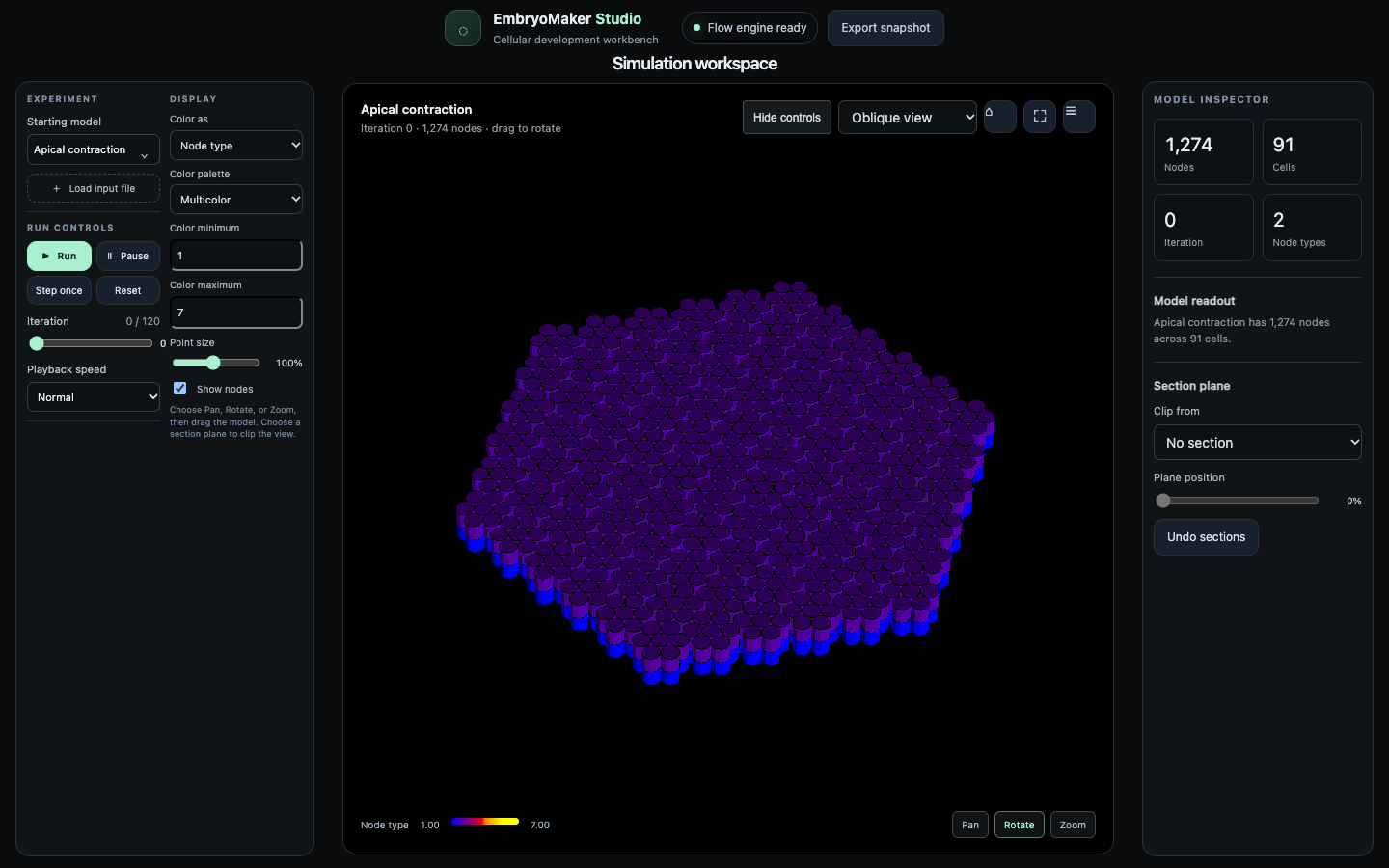
The original EmbryoMaker menus, with playback controls, an iteration slider, colour fields and ranges, section clipping, a model inspector and gene plots.
Change one factor and keep the rest matched. Both runs use the same start, backend and iteration count, then their snapshots are measured side by side.
The original examples, plus nine starting states from the Morphospace exploration of Cano-Fernandez, Brun-Usan, Tissot and Salazar-Ciudad (2025).
The C backend is the default. The MLIR lowering path builds the same solver, so the two can be compared on one input.
The server listens on 127.0.0.1. Snapshots, images and movies are written to the application folder.
Experiments
prop_noise, or a second input that differs in one factor.On Morphospace Figure 7A, compare the starting value of prop_noise with 0.2 for one iteration. Report the baseline value and node position change.
Baseline prop_noise was 0.1. One iteration per arm.
These are simulator measurements under the model's assumptions. A one-iteration run checks the comparison path. A biological claim needs longer runs and repeated seeds.
Experiments can be driven from the Studio or by Claude through the bundled MCP server. See MCP.md.
Get started
Download the package for your system, extract it, and start the launcher. The Studio opens in your browser. Keep the terminal window open while you work.
Packages for Apple silicon Macs and x86-64 Linux. To build from source, install the Flow compiler and a C compiler, then run tools/run-ui.sh.